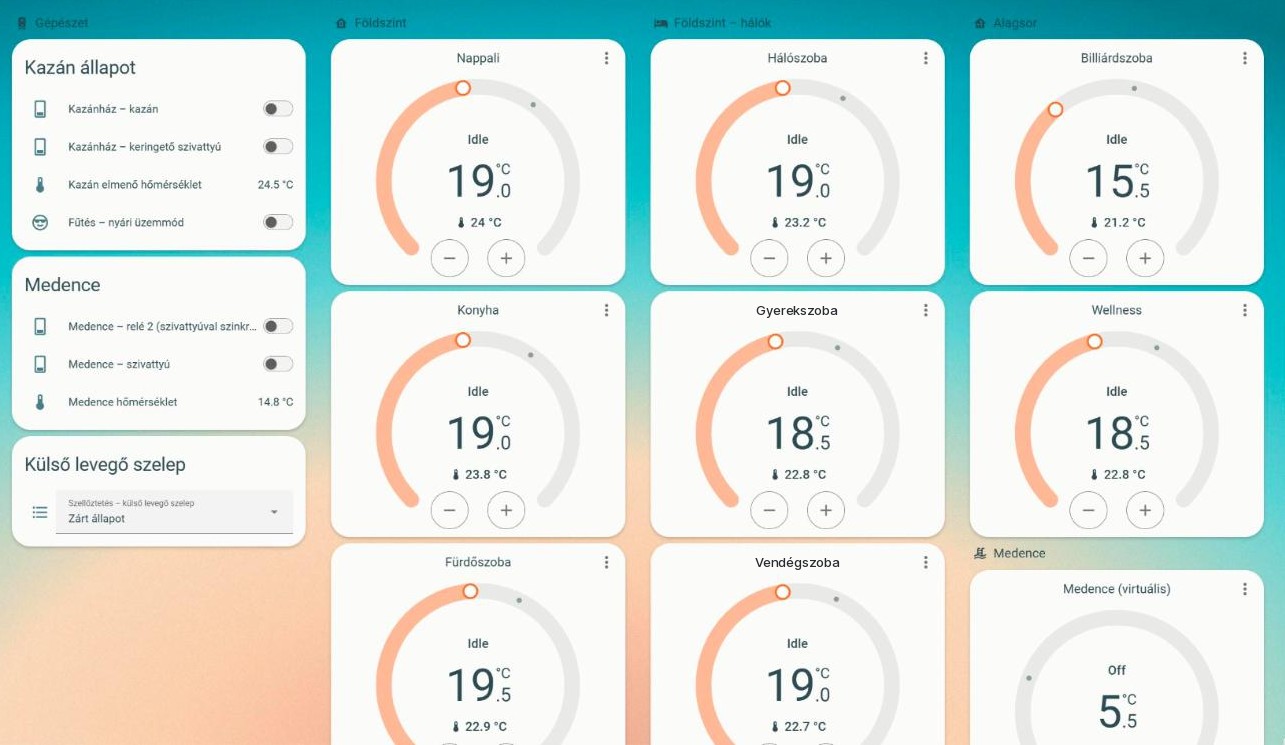

At Yabune, Computherm thermostats are the ones we use most often for heating and cooling control. The E series Wi-Fi models are easy to use on the wall, and there is a version for fan coil systems as well, the E300FC. In a smart home, however, it is not enough for the thermostat to be controllable from its own app: the hub has to see it too, so that it can work together with the rest of the home.
Home Assistant has no built-in Computherm integration, so we wrote our own. It runs in our clients’ Yabune Home systems and talks to the thermostats directly over the local network. It needs no cloud service in operation.
Why the manufacturer’s app is not enough
- A world of its own. The thermostat lives in its own app. The window sensor, the presence sensor and the heat pump know nothing about it, and the thermostat knows nothing about them.
- Cloud dependency. The manufacturer’s app handles remote access through the manufacturer’s cloud. If the cloud or the internet connection falters, so does the control.
- Menu settings take button pressing. Hysteresis, the floor sensor mode or anti-freeze protection are set on the thermostat itself, in its menu – in a house with several rooms, that is a separate round in every room.
How does it work?
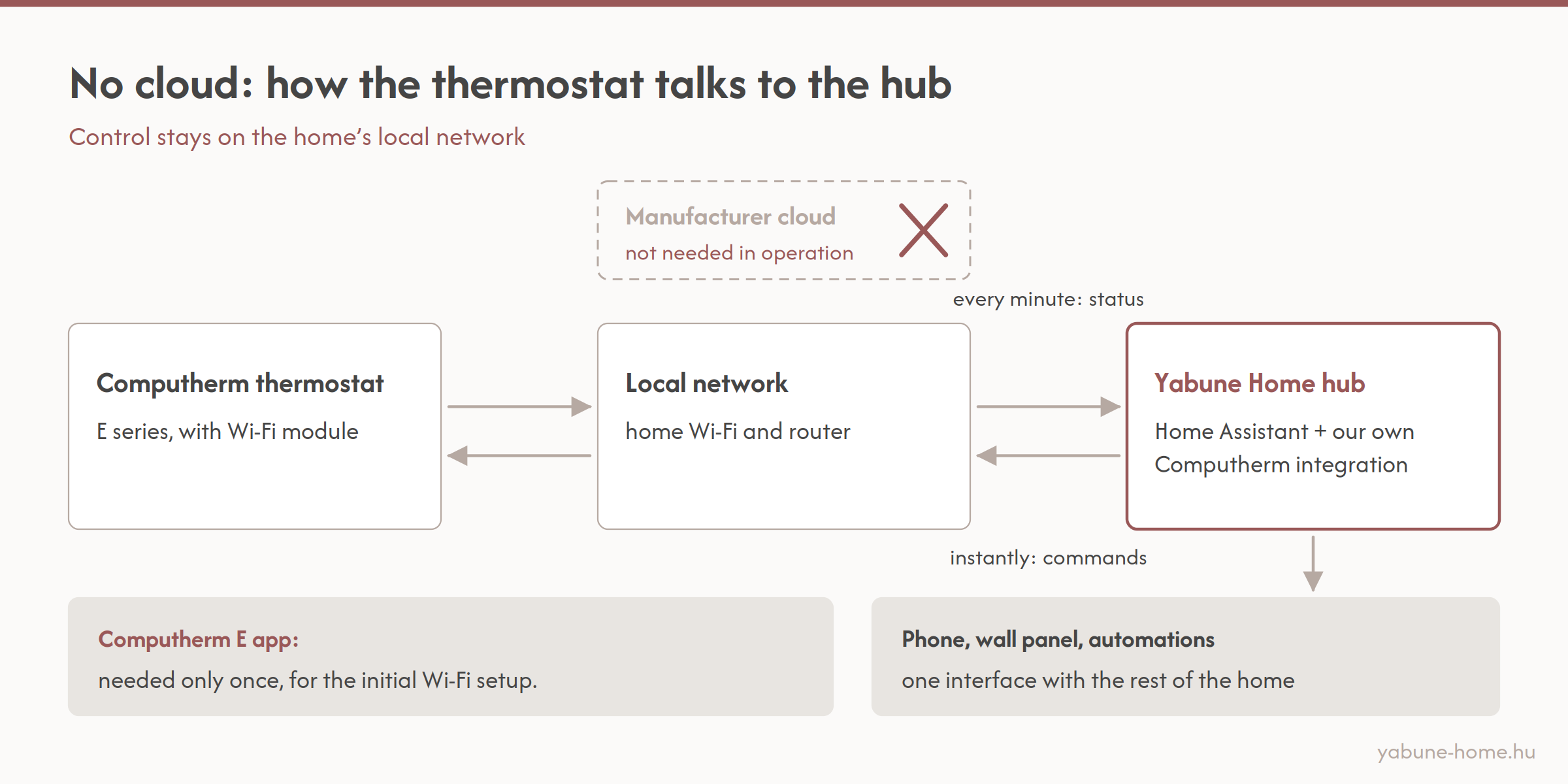
The thermostat has a Wi-Fi module. The integration reaches it through this module, over the home’s local network: every minute it polls the status, and it passes commands on immediately.
Control stays in the house. If the internet connection drops, the thermostat keeps controlling the heating as before, and the automations keep running.
What can the hub see and set?
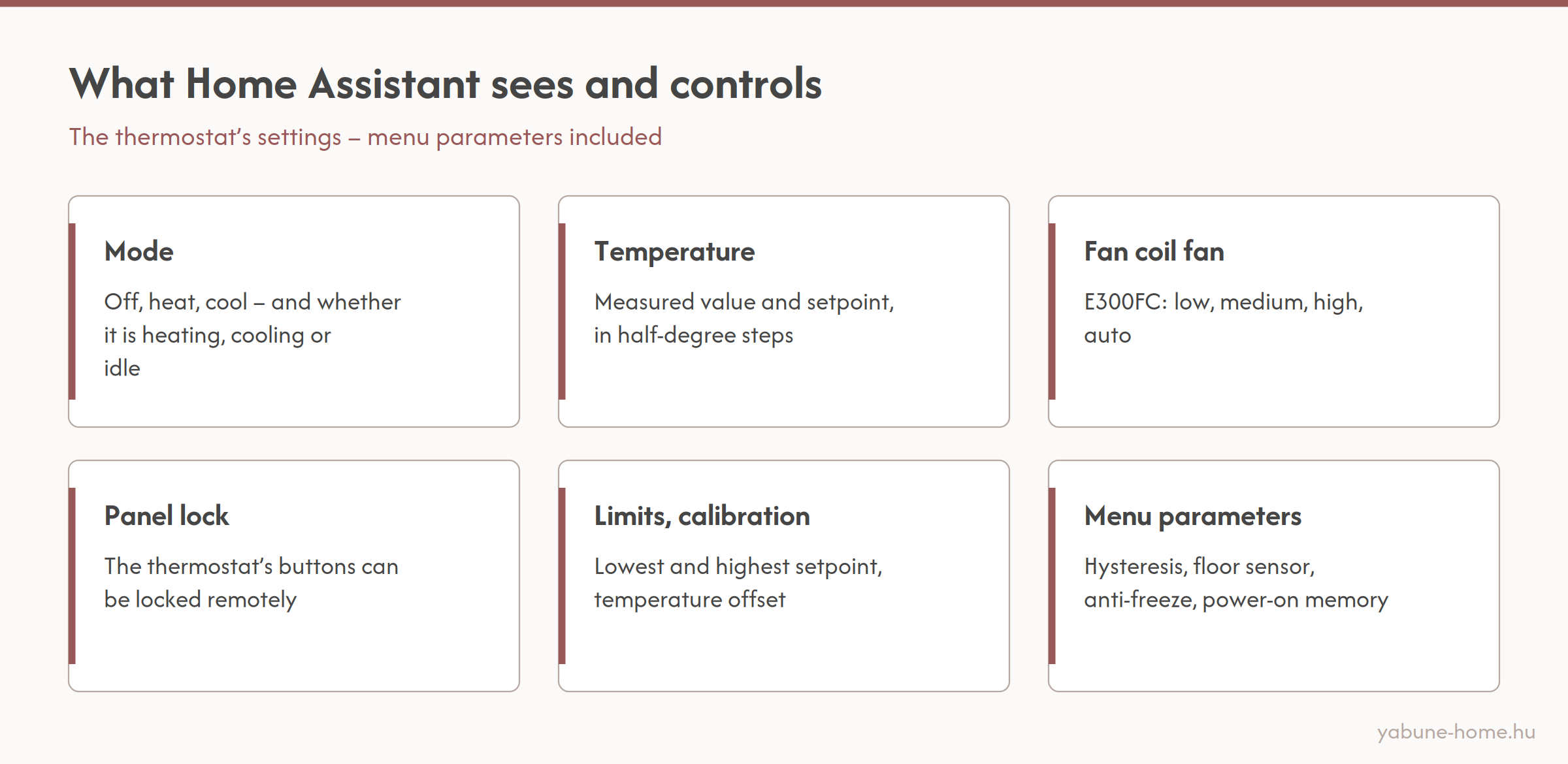
- Mode: off, heat or cool – and whether the thermostat is currently heating, cooling or idle.
- Temperature: measured value and setpoint. The thermostat stores the setpoint in half-degree steps.
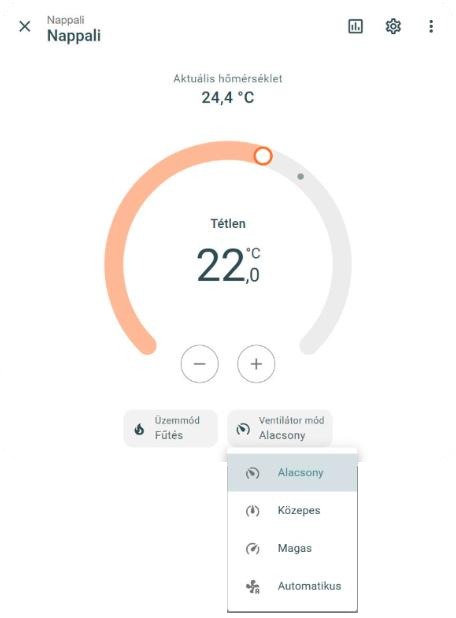
- Fan coil fan (E300FC): low, medium, high or auto.
- Panel lock: the thermostat’s buttons can be locked, for example in a child’s room or a shared space.
- Limits and calibration: the lowest and highest settable temperature, and an offset for the measured value.
- Menu parameters: hysteresis, sensor mode (internal sensor, external floor sensor, or internal control with a floor temperature limit), anti-freeze protection, power-on memory.
How does a thermostat get into the system?
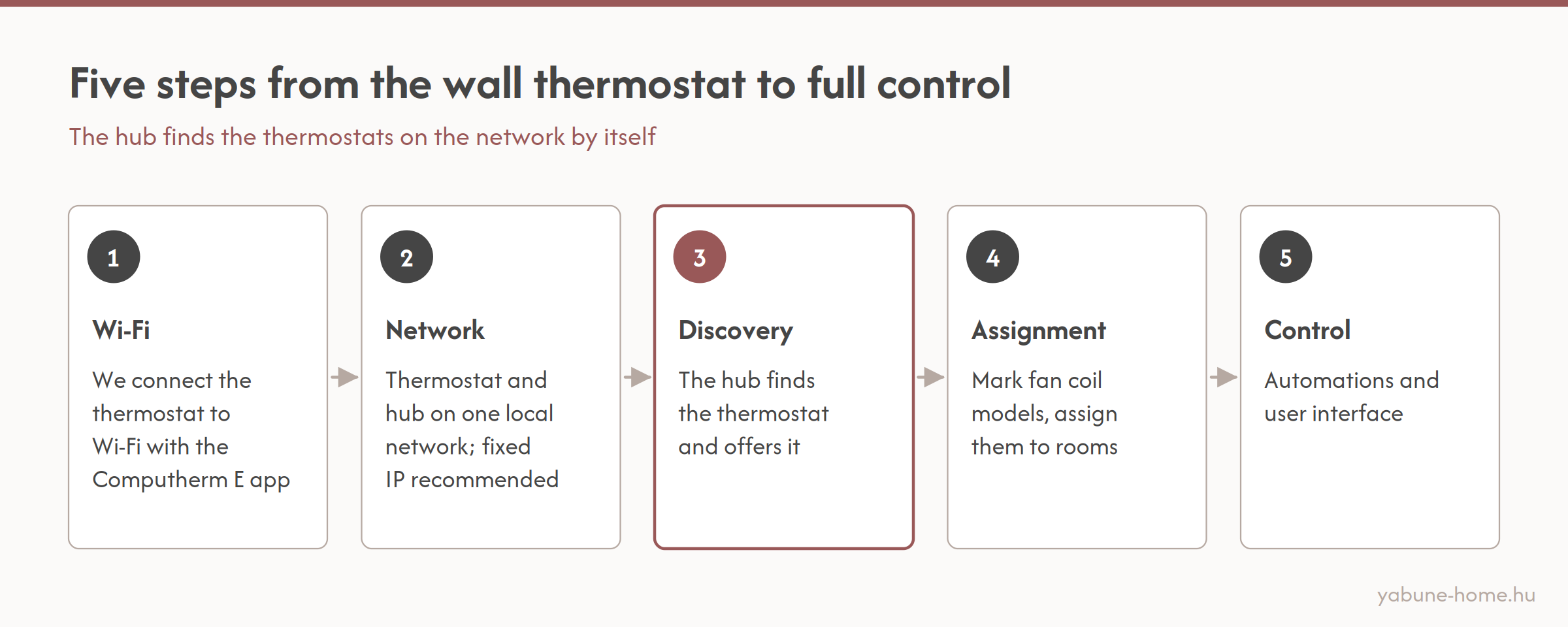
- We connect the thermostat to Wi-Fi with the Computherm E app.
- The thermostat and the hub go on the same local network. A fixed IP address is recommended but not required.
- The hub finds the thermostats by itself and offers them as new devices.
- We mark the fan coil thermostats and assign the thermostats to rooms.
- We build the automations and the user interface.
The hub discovers the thermostats with broadcast messages, but these messages do not pass between network segments (VLANs). On a segmented network, the thermostats therefore go into the same segment as the hub – we fix this in the network plan in advance.
What if something goes wrong?
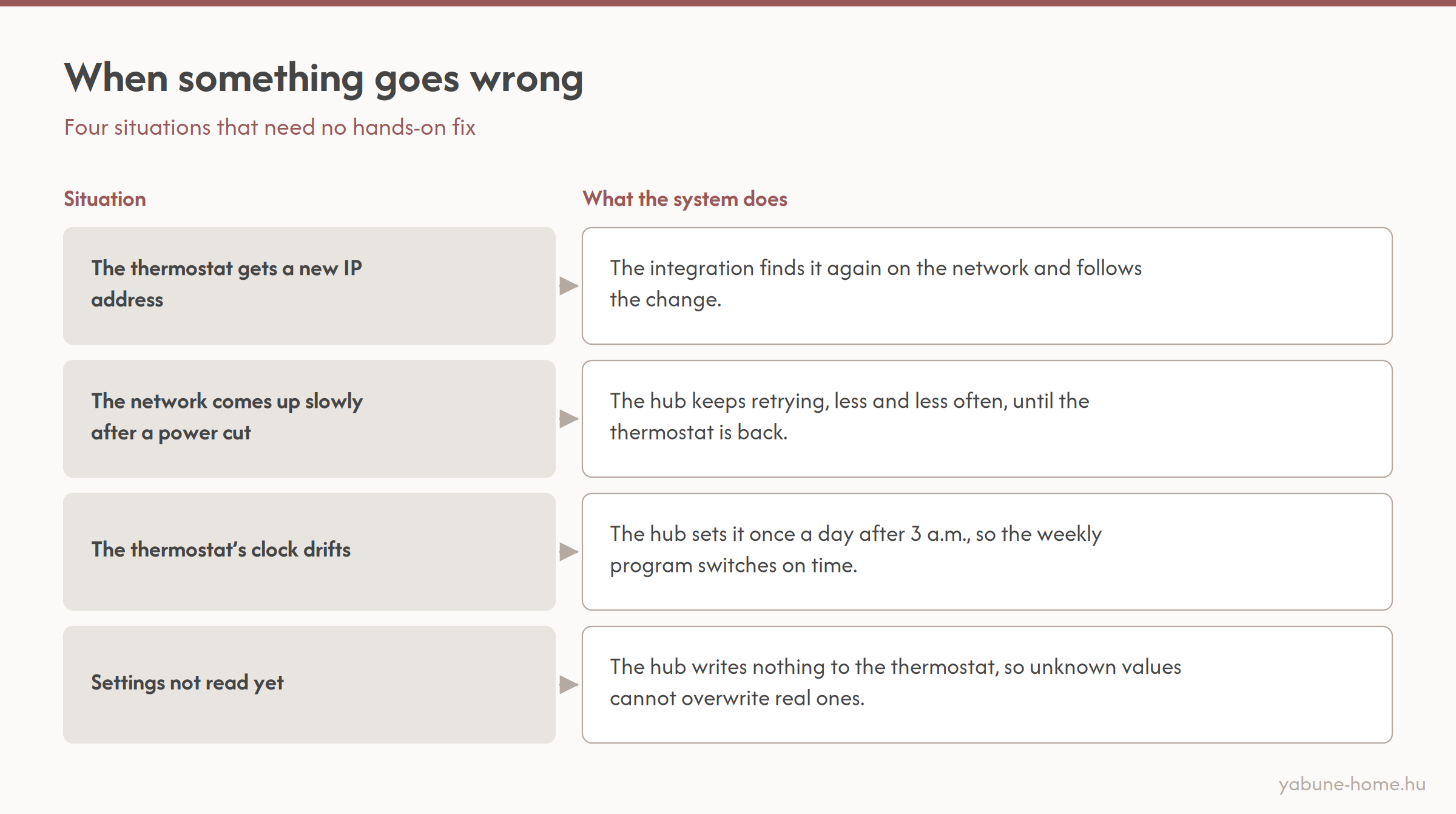
- The thermostat gets a new IP address, for example after a router replacement: the integration finds it again on the network and follows the change.
- The network comes up slowly after a power cut: the hub does not give up. It keeps looking for the thermostat, retrying less and less often, until it becomes available.
- The thermostat’s clock drifts: once a day, after 3 a.m., the hub sets it, so the weekly program switches at the right time.
- The settings have not been read yet: until the hub has read the thermostat’s settings at least once, it writes nothing to it. This way, unknown values cannot overwrite the real settings.
You can tell a good integration by the fact that you do not have to touch it, even when something goes wrong.
What is it good for in practice?
- When a window opens, heating in the room stops; when it closes, heating resumes.
- When you leave, one button puts the whole house into economy mode.
- The heat pump’s flow temperature and the fan coils can be coordinated.
- On fan coils, raising the hysteresis gets rid of short, annoying fan bursts.
- The panel lock can be switched on and off remotely.
All the resident sees of this is the same thermostat on the wall, and heating and cooling on their phone, in the Yabune Home interface, next to the rest of the house.
Our own development, for our clients
We develop and maintain the integration ourselves; before every new Home Assistant version is rolled out, we check it with automated tests. It is part of our clients’ Yabune Home systems; we do not distribute it separately.
Got Computherm thermostats?
If you would like to bring your Computherm thermostats into one system with the rest of your home, or you are planning your heating and cooling control right now, get in touch. If you are building, it is worth starting with the technical preparation page; for an existing smart home, the system takeover page is the right starting point. You can read more about heating and cooling control on the smart heating and cooling page. At Yabune, we take care of everything from design through programming to operation – write to us.